Surescripts Prescription Transfer function is now available to support pharmacy-to-pharmacy prescription transfers. This certification allows a Surescripts registered pharmacy to transfer prescriptions to other Surescripts registered pharmacies.
Surescripts Prescription Transfer
1) Select Patient for Transfer
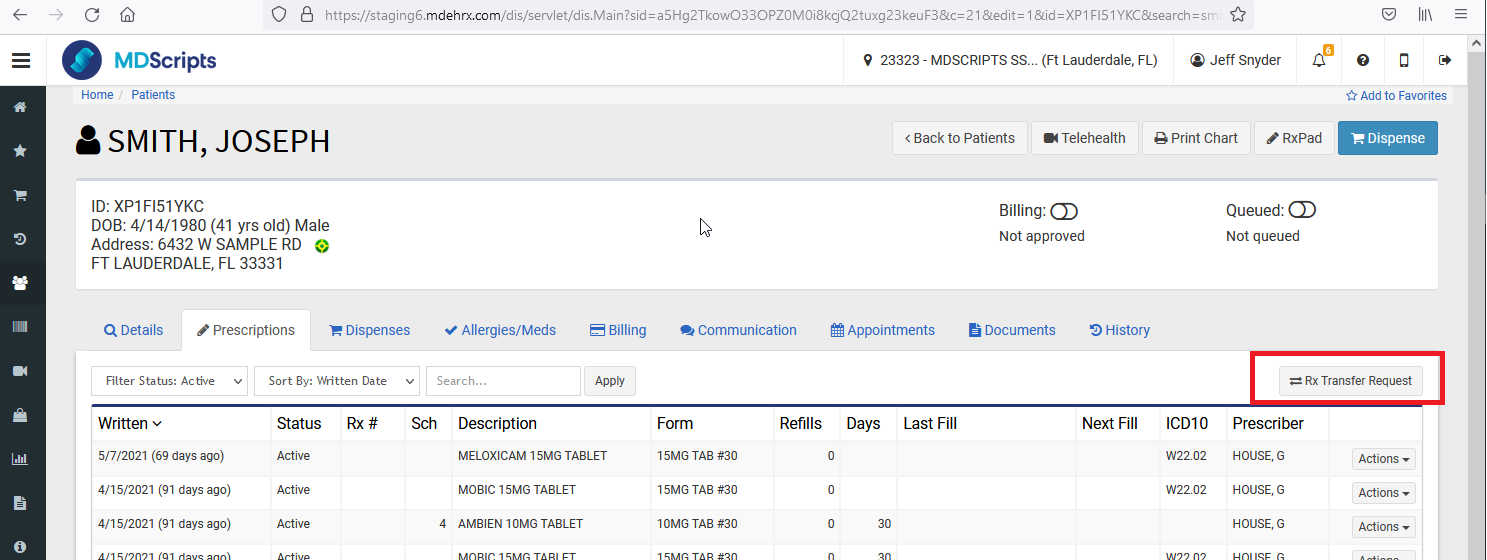
From Prescriptions tab under Patient Profile, select the Rx Transfer Option
OR
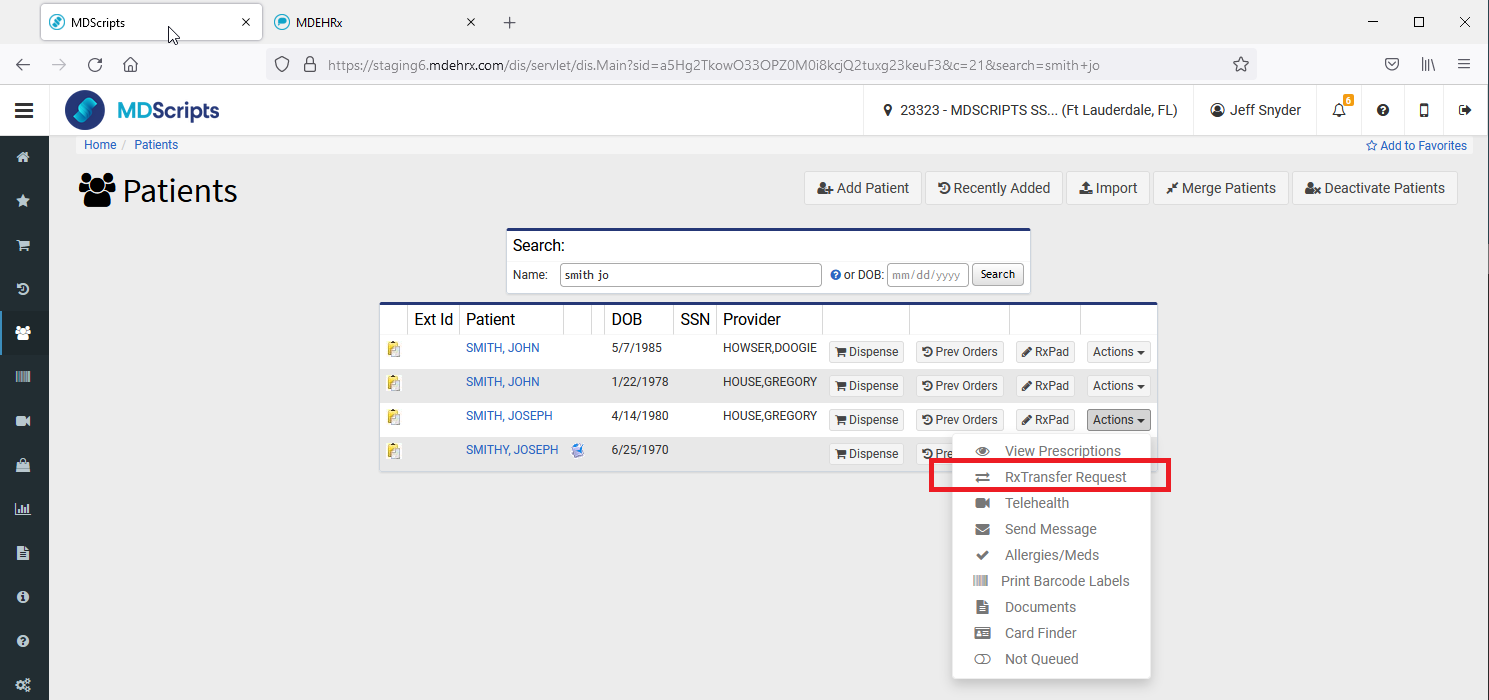
Select Transfer option from Patient Search Results screen
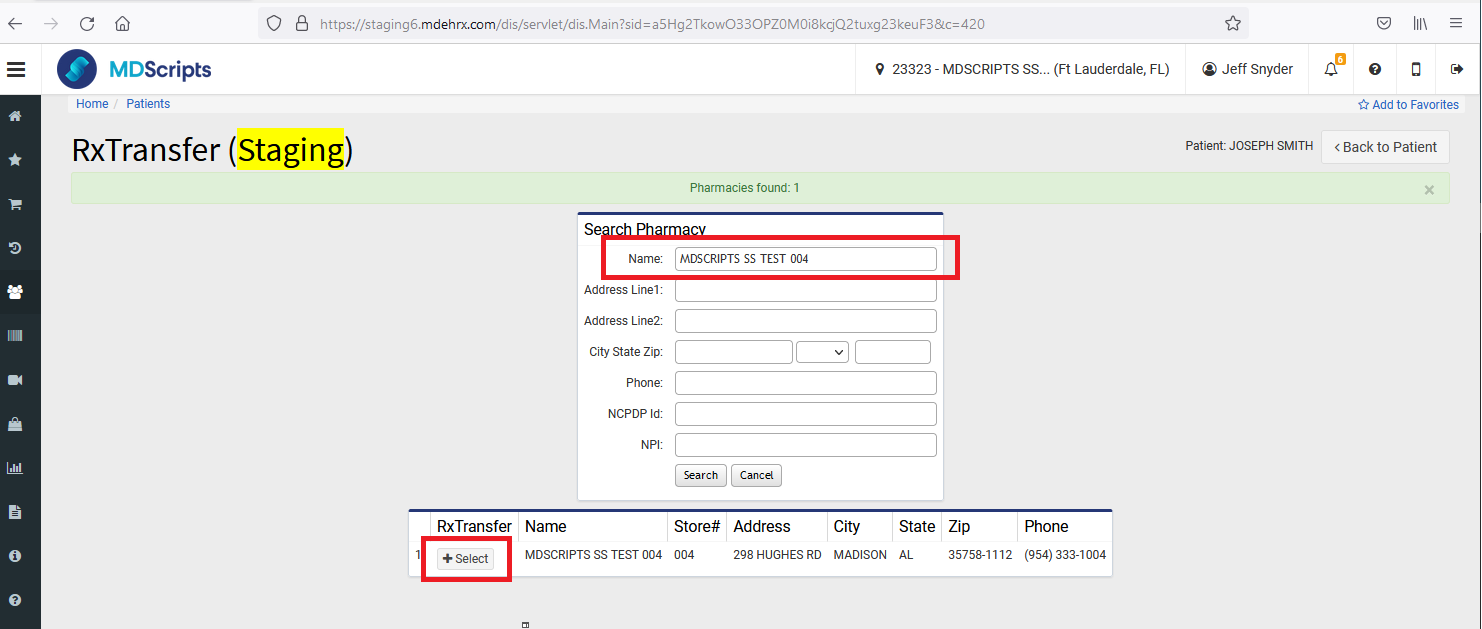
2) Search for Receiving Pharmacy
Search for Receiving Pharmacy by typing Name, address, NCPDP, or NPI and then click on " Select" from search results.
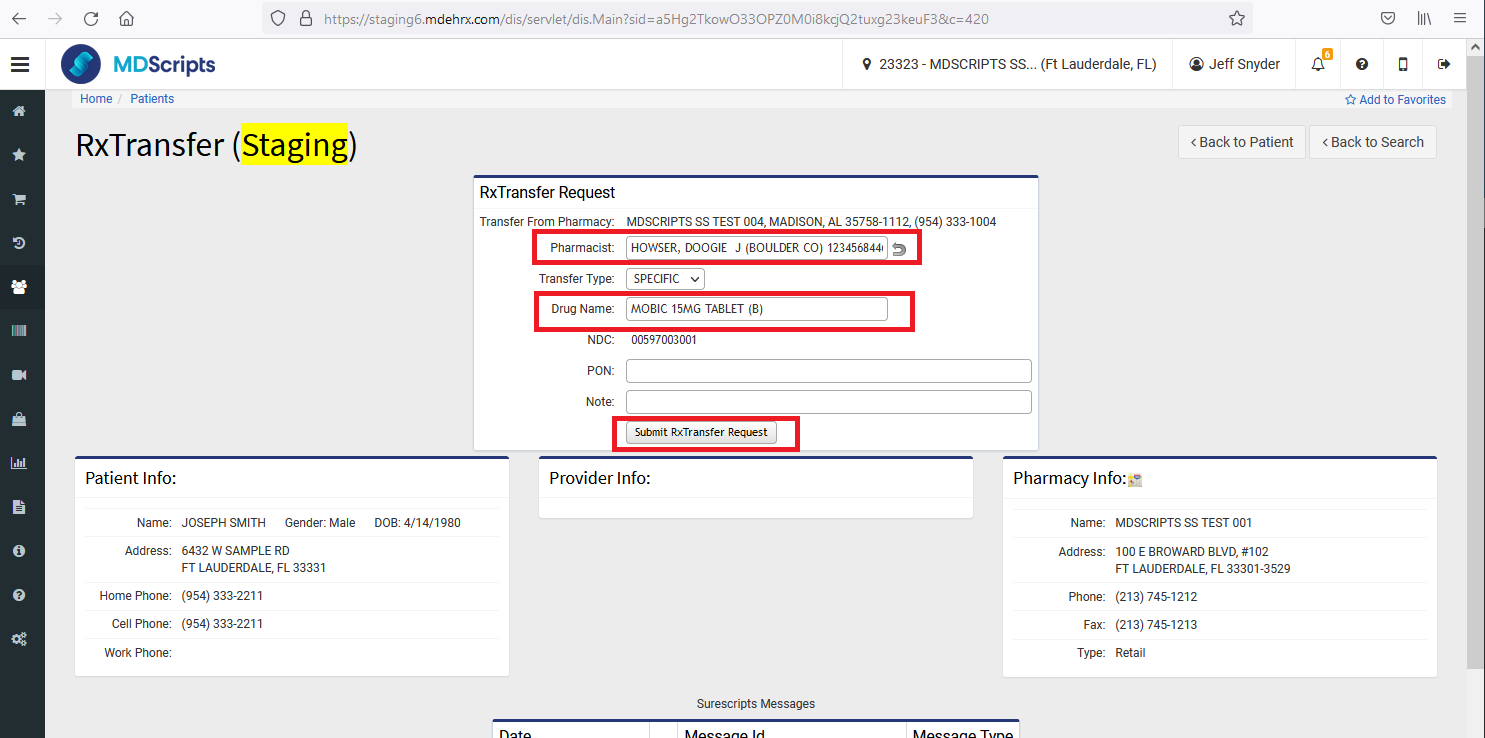
3) Enter Prescriptions for Transfer
Enter the medication that will be transferred to the receiving pharmacy.
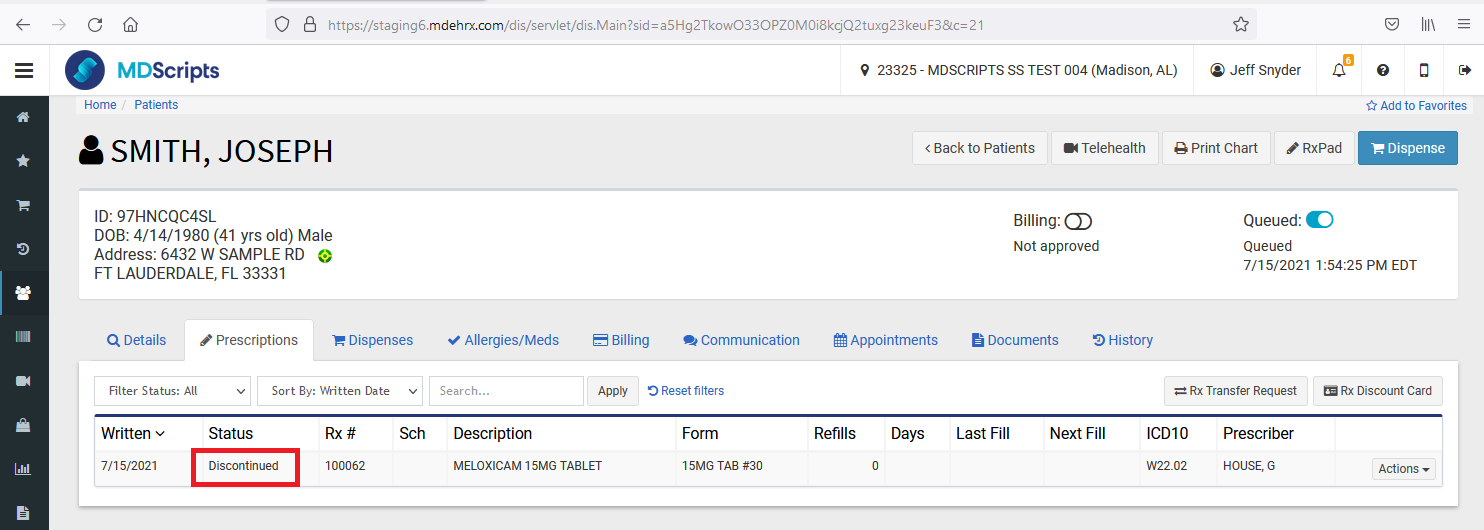
4) Transferred Prescription Marked as Discontinued
Once a transferred prescription is approved as accepted by the receiving pharmacy it will be marked as "Discontinued" in the sending pharmacy and will no longer be available to be filled.
MDScripts site as Receiving Pharmacy
If the receiving pharmacy is a site in MDScripts then the transferred prescription will need to be Approved and Accepted.
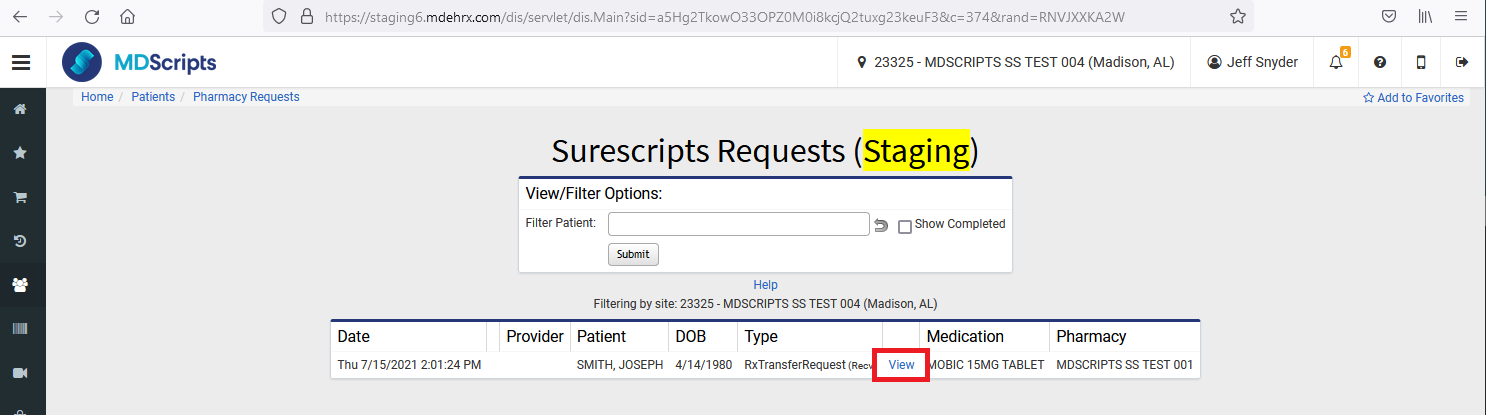
From the Surescripts Requests screen, select "View" on the transferred script.
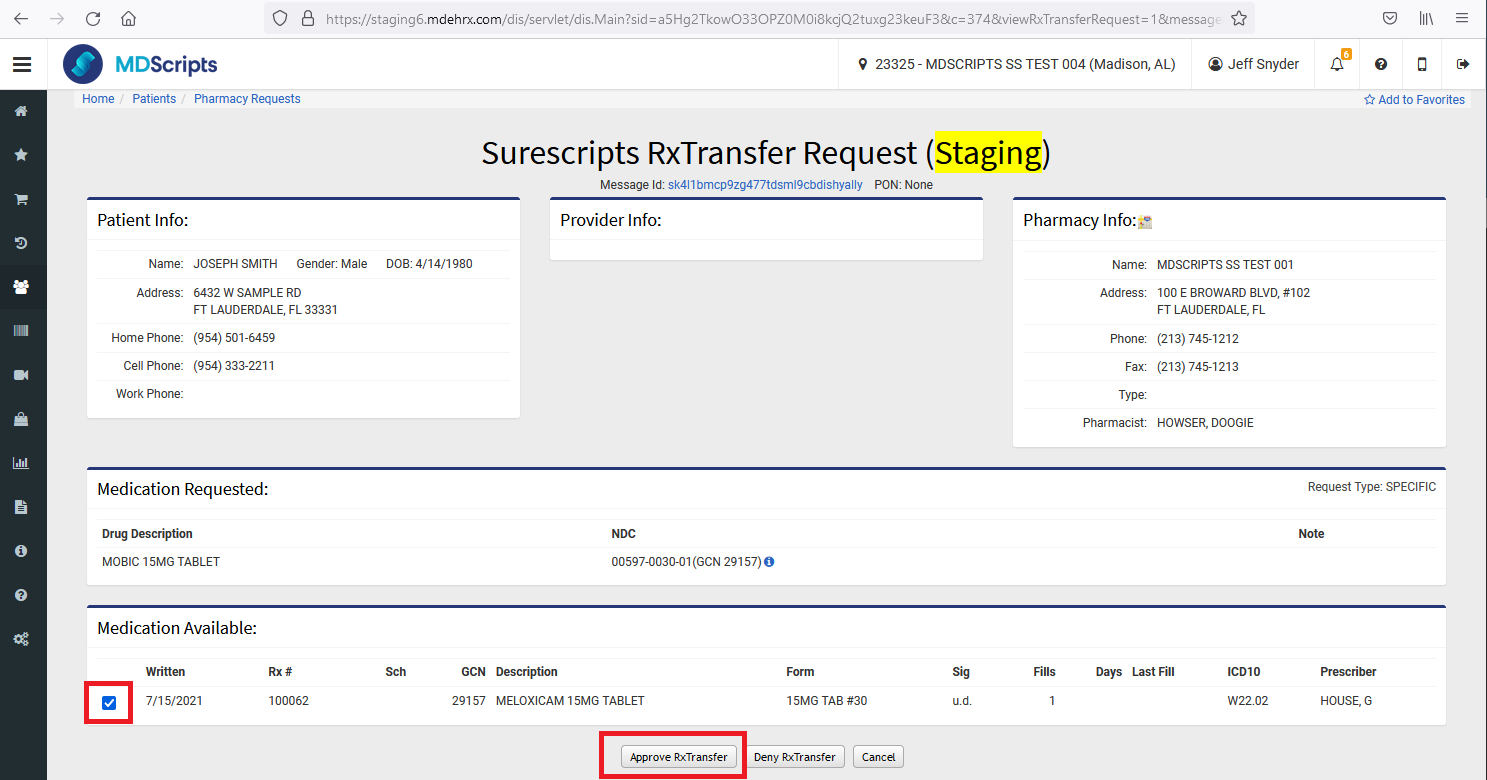
Select the Prescriptions that should be approved and then click on the "Approve RxTransfer" button. If the transfer is not approved, select the "Deny RxTransfer" button